Excel Project Template
  • Home
  • Download
  • Documentation
  • Donation
  • Version History
  • Contact

Marker Formatting Settings
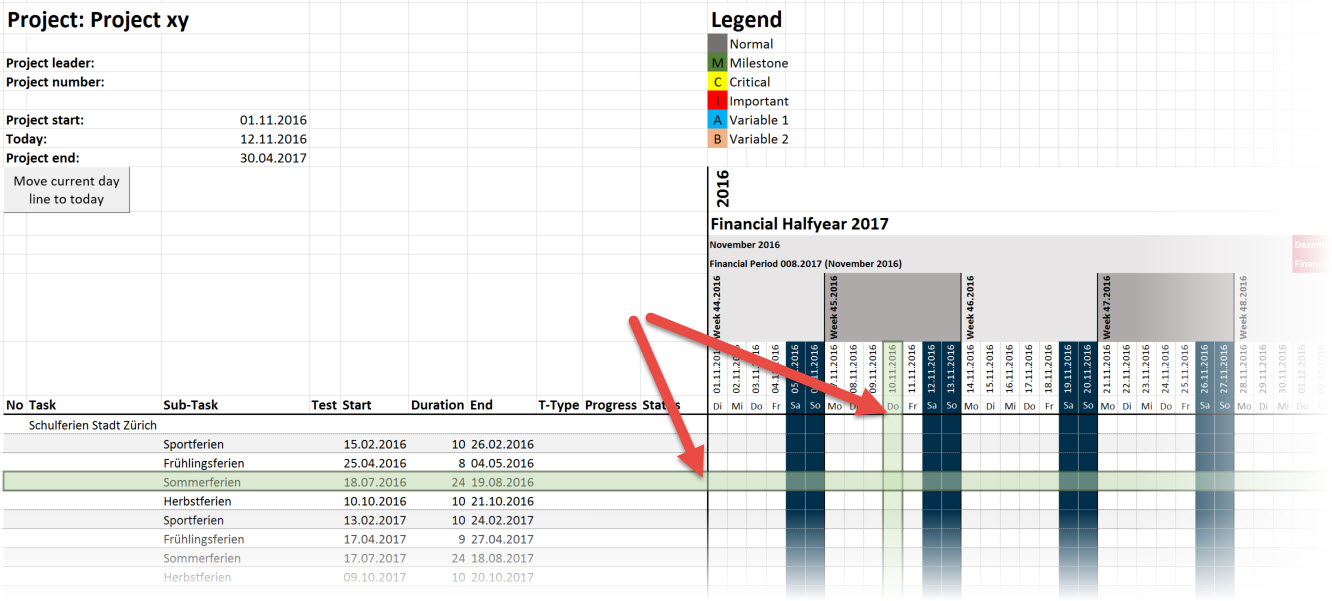
 

The marker should help you to focus on a certain row or to mark the current day in your project plan.

With this settings you can configure if you want to have a marker and how this one should look like. You can choose between a line or a ruler and format them as you want.

Articles
Titel Autor Zugriffe
00080 - Show Marker Super User 5751
00081 - Show Button To Set Current Day Marker Super User 5905
00082 - Position Of Current Day Marker In Column Super User 5878
00083 - Auto Set When File Is Loaded Super User 5657
00084 - Goto Current Day When File Is Loaded Super User 5510
00085 - Marker Format Super User 5696
00088 - Marker Format Type Super User 5673
00089 - Marker Direction Super User 5860

Documentation

  • Setting areas
    • Global Settings
    • Header Formatting Settings
    • Task Header Format
    • Task Formatting Settings
    • Weekend Formatting Settings
    • Marker Formatting Settings
    • Weekly Calendar Type
    • Public Holiday
    • Swiss public holidays
    • Load Predefined Tasks / Holidays